





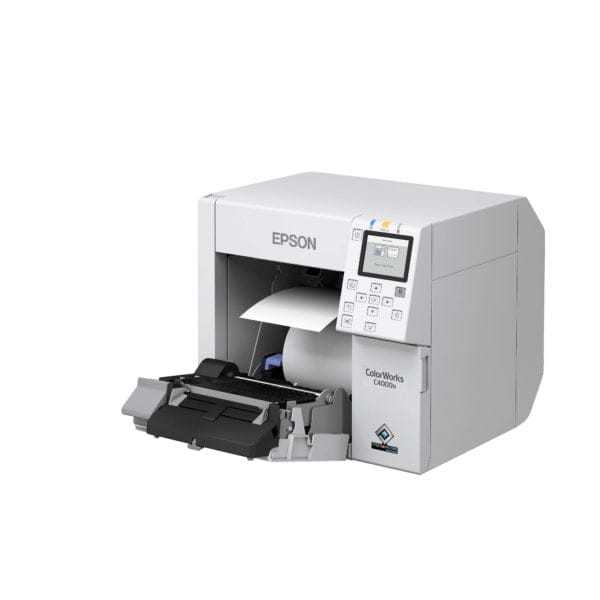
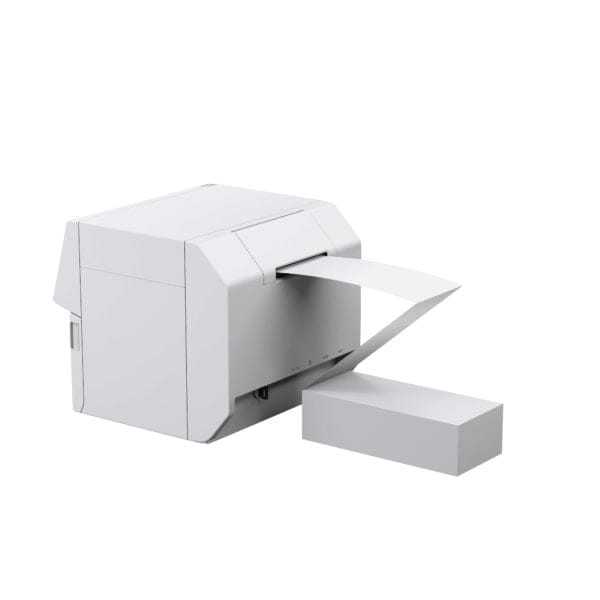


Epson ColorWorks CW-C4000 Color Label Printer
- $3,250.00 CAD
- $3,250.00 CAD
- Unit price
- per
Performance at a glance
Compact, low to mid volume
Maximum-speed headline: 300 × 600 dpi at 4 in print width. Normal mode is 1.89 in/sec at this width.
4 in label length + 0.125 in gap; 2 hours/day, 20 days/month, 50% productive time. Normal, 600 × 600 dpi; 4 in print width. Continuous batch output; cutting every label can reduce the result. Calculated estimate, not an Epson duty-cycle rating.
See speeds and estimate your monthly output →


Choose with confidence · CW-C4000
Print speed and production capacity
Maximum-speed headline: 300 × 600 dpi at 4 in print width. Normal mode is 1.89 in/sec at this width.
| Print setting | Resolution | Speed |
|---|---|---|
| Max Speed | 300 × 600 dpi | 3.94 in/sec |
| Speed | 600 × 600 dpi | 2.76 in/sec |
| Normal | 600 × 600 dpi | 1.89 in/sec |
| Quality | 600 × 1200 dpi | 0.71 in/sec |
| Max Quality | 1200 × 1200 dpi | 0.31 in/sec |
Maximum resolution and maximum speed are different settings. File processing, roll and ink changes, cleaning, start/stop jobs and finishing affect total throughput.
Monthly output examples
For 4 in label length, a 0.125 in gap, 20 working days and 50% productive time. Normal, 600 × 600 dpi; 4 in print width. Continuous batch output; cutting every label can reduce the result.
| Scheduled printing | Calculated labels/month |
|---|---|
| 2 hours/day | About 33,000 |
| 8 hours/day | About 132,000 |
These examples are calculations using published engine speeds and assumed working time. They are not tested production guarantees or an Epson recommended monthly duty cycle. For sustained production, ask ForeFront to test your artwork and media.
Estimate your monthly output
Adjust the assumptions to match your work. Speed choices use the print width shown above.
50% productive time is an editable planning assumption, not a measured printer efficiency. Continuous batch output; cutting every label can reduce the result. Your actual workflow can produce fewer labels.
Key specifications
| Maximum print width | 4.25 in (108 mm) |
|---|---|
| Maximum resolution | 1200 × 1200 dpi |
| Ink system | Pigment CMYK cartridges |
| Finishing | Auto cutter |
| Internal roll | 4 in OD; 1.75 to 2.25 in core |
| Media width | 1.0 to 4.41 in including liner (roll) |
| Label length | Up to 16 in (406.4 mm) |
| Connectivity | USB 2.0, Gigabit Ethernet; optional Wi-Fi |
How many labels can this printer produce per month?
Monthly output depends on label length, print width, print setting and working time. Use the examples or calculator above. Epson's cited specifications do not give a monthly label-count rating.
What can reduce the monthly output?
Higher quality settings, wider layouts on serial inkjet models, short jobs, roll changes, ink maintenance and frequent cuts can reduce output.
Epson ColorWorks CW-C4000 4-Inch Color Inkjet Label Printer
The Epson ColorWorks CW-C4000 is a compact commercial color label printer for businesses that want to print product labels, barcode labels, inventory labels, and variable data labels in-house. This page helps first-time buyers compare the Matte Black and Gloss Black versions, confirm label compatibility, and understand which supplies are normally needed for a complete setup.

What to understand before choosing a CW-C4000 setup
Most buying mistakes happen because the printer version, black ink type, and label material are not matched correctly. Start with the application, then choose the printer configuration and label material.
| Decision | What it means | Recommended next step |
|---|---|---|
| Printer configuration | Choose Matte Black or Gloss Black based on the label finish you plan to run most often. | Review the Matte vs Gloss section |
| Label material | Common choices include gloss paper, matte paper, gloss BOPP, and matte BOPP. Application and environment matter. | View CW-C4000 compatible label rolls |
| Ink set | The printer uses CMYK individual cartridges. The black cartridge must match the Matte or Gloss printer version. | View CW-C4000 inks |
| Maintenance supply | The SJMB4000 maintenance box is a normal consumable used by this printer family. | View SJMB4000 maintenance box |
| Setup confidence | If label finish, material, size, or environment is unclear, confirm before ordering. | Ask ForeFront to review your setup |
Matte Black or Gloss Black?
The CW-C4000 platform is available in Matte Black and Gloss Black configurations. The correct choice depends mostly on the finish of the labels you plan to print on. This is one of the most important decisions before ordering.
Gloss Black is usually better for:
- Gloss paper labels
- Gloss BOPP labels
- Shiny product labels
- Premium packaging where visual pop matters
Matte Black is usually better for:
- Matte paper labels
- Matte BOPP labels
- Low-glare product labels
- Barcode, inventory, and operational labels


Confirm these details before ordering
A good CW-C4000 setup starts with the label application. Use this checklist to reduce the chance of ordering the wrong version, wrong black ink, or wrong label material.
1. Printer version
Matte Black or Gloss Black.
2. Label material
Paper or BOPP, matte or gloss.
3. Label size
Width, height, core, roll OD, and roll direction.
4. Ink set
CMY plus the correct black cartridge.
5. Maintenance box
SJMB4000 maintenance box for ongoing printer upkeep.
6. Application
Product labels, barcodes, moisture exposure, handling, and storage conditions.
Compatible label materials for Epson CW-C4000
The CW-C4000 can be used with a range of compatible inkjet label rolls. The best label choice depends on finish, durability, moisture exposure, product surface, barcode needs, and whether your printer is Matte Black or Gloss Black.
Gloss Paper
Bright product labels for dry applications and retail packaging.
Matte Paper
Low-glare labels with a natural look for product and information labels.
Gloss BOPP
Synthetic film labels for more durable, water-resistant applications with shine.
Matte BOPP
Durable synthetic labels with a smooth, low-glare finish.

What is usually needed with the printer?
A first-time CW-C4000 setup usually includes the printer, the correct ink set, compatible label rolls, and a maintenance box. The exact setup depends on your application, but planning these items together helps avoid delays after the printer arrives.
CMYK ink set
Includes cyan, magenta, yellow, and the correct black cartridge.
Compatible label rolls
Choose the right material, finish, adhesive, and size.
Maintenance box
The SJMB4000 is used for printer maintenance and ink collection.
Samples if needed
Helpful for testing finish, barcode clarity, handling, and product fit.


Compatible Epson CW-C4000 inks and maintenance box
The CW-C4000 uses individual CMYK cartridges. Cyan, magenta, and yellow are shared across the setup, while the black cartridge must match your printer configuration.

Where the CW-C4000 fits well
This printer is useful for businesses that need in-house control over label designs, production changes, small batches, product launches, barcode updates, and frequent SKU changes.
Food and beverage
Jars, bottles, pouches, seasonal products, and batch changes.
Cosmetics and personal care
Premium labels for bottles, jars, cartons, and product samples.
Warehouse barcodes
Inventory labels, carton labels, bin labels, and tracking labels.
Industrial product ID
Part labels, product identification, production tracking, and internal workflows.
Useful for barcode, inventory, and variable data labels
The CW-C4000 can support product labels and operational labels when the correct material and print settings are used. It is especially helpful when designs, codes, dates, lots, or SKUs change often.
- Print short-run product labels in-house.
- Update labels quickly for new products or seasonal batches.
- Use barcode, QR-style, lot code, and inventory label workflows.
- Match paper or BOPP label rolls based on handling and environment.

Epson ColorWorks CW-C4000 key specifications
These specifications help confirm whether the CW-C4000 matches your label width, roll format, print quality needs, and workflow setup.
| Printer family | Epson ColorWorks CW-C4000, available in Matte Black or Gloss Black configuration. |
| Max print width | 4.25 in / 108 mm |
| Print modes and speed |
Max Speed: 3.94 ips / 100 mm/s at 300 x 600 Speed: 2.76 ips / 70 mm/s at 600 x 600 Normal: 1.89 ips / 48 mm/s at 600 x 600 Quality: 0.71 ips / 18 mm/s at 600 x 1200 Max Quality: 0.31 ips / 8 mm/s at 1200 x 1200 |
| Max resolution | Up to 1200 x 1200 dpi in Max Quality mode. |
| Ink type | UltraChrome DL pigment ink, CMYK individual cartridges. Black cartridge depends on Matte or Gloss printer configuration. |
| Media paths | Internal roll feed, rear fanfold feed, and external rear-powered unwinder support. |
| Internal roll limits | Up to 4 in / 101.6 mm OD. Core ID 44 to 57 mm. |
| Media width | Roll: 25.4 to 112 mm. Fanfold: 50.8 to 112 mm, including liner. |
| Media thickness | 0.084 to 0.229 mm. |
| Label length | 8 to 406.4 mm. |
| Sensing | Gap, black mark, and media cut sensing. |
| Connectivity | Ethernet and USB 2.0. Optional Wi-Fi dongle supported. |
| Command languages | ZPL II support and Epson ESC/Label. |
| Display | 2.7 in color display with keypad controls. |
| Dimensions and weight | 310 x 283 x 285 mm. Approximately 13 kg. |
| Common parts |
Maintenance box: SJMB4000 Compatible inks: Epson CW-C4000 ink cartridges Compatible labels: Epson CW-C4000 label rolls |
Common questions before ordering the Epson CW-C4000
What is the Epson CW-C4000 best used for?
What is the difference between CW-C4000 Matte and Gloss?
Which labels work with the Epson CW-C4000?
Do I need to order ink with the printer?
Do I need the SJMB4000 maintenance box?
Can ForeFront help confirm the correct setup?
Need help confirming the right CW-C4000 setup?
Share your label size, product type, material goal, finish, and application. We can help you confirm the printer configuration, compatible labels, ink set, and maintenance supplies before you order.


